Type it in.
Pay once.
Stays on your phone.
Kiroku is a manual expense tracker for people who'd rather not connect their bank. You type each expense in yourself, so you actually feel where the money goes. Your ledger stays with you, on your device and in your own iCloud.
A ledger that sits close at hand.
Logging an expense should take seconds. Kiroku is built around that one moment.
Your month at a glance
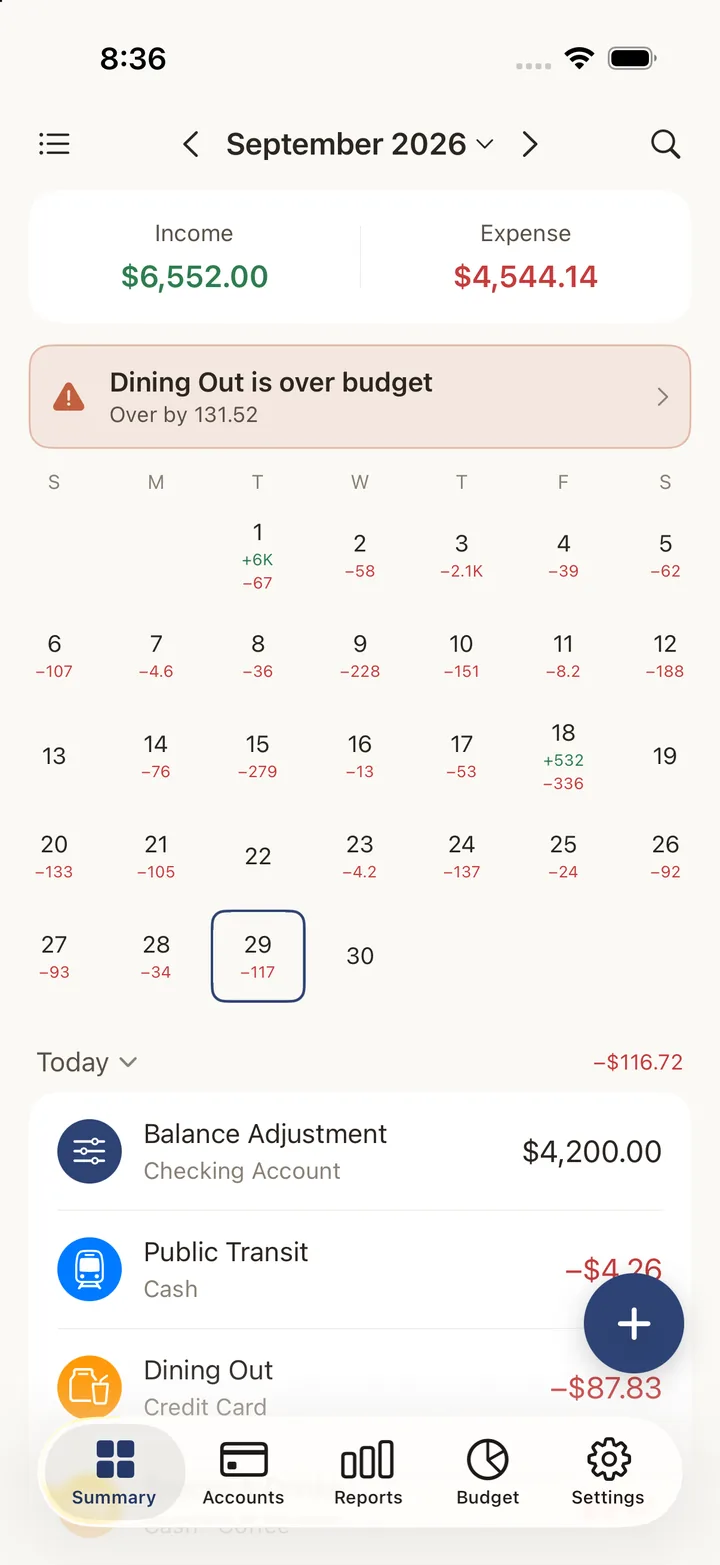
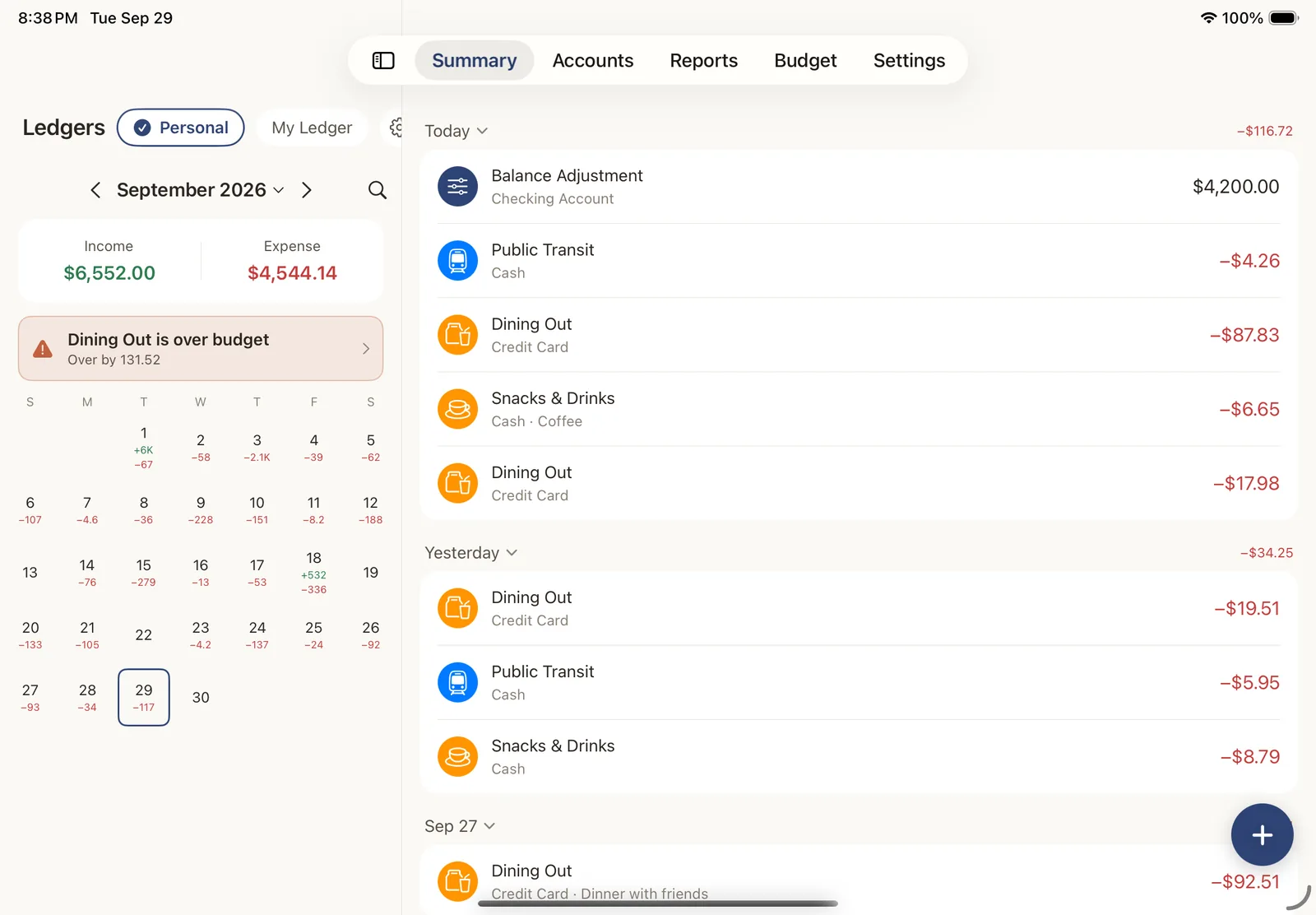
Every day's income and spending shows right on the calendar. Tap a day to see what you spent, and Kiroku tells you as soon as a category goes over budget.
- check Daily totals on a monthly calendar
- check Accounts for cash, bank, credit cards and e-wallets
- check Over-budget alerts on the summary screen
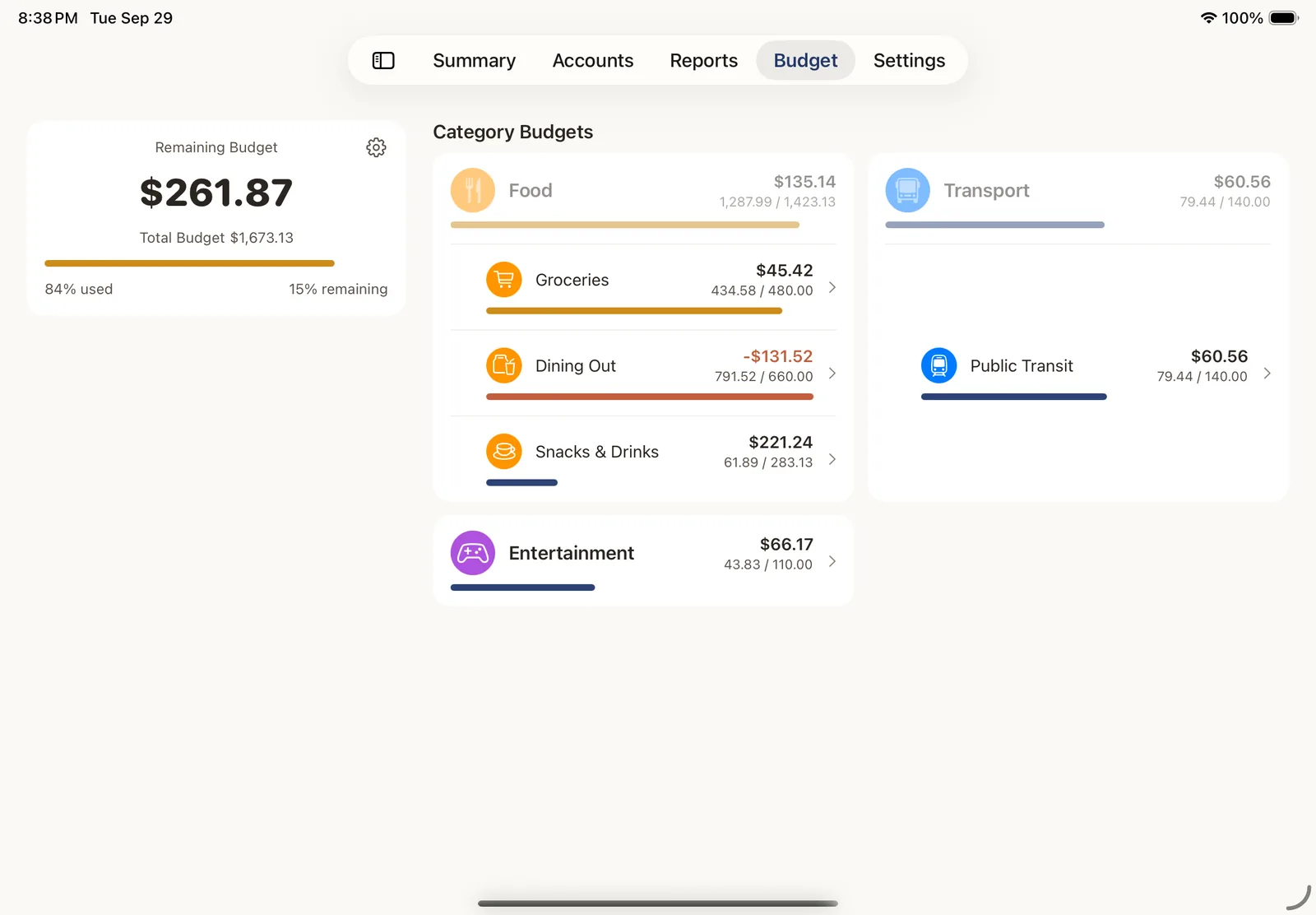
Budgets that tell you what's left
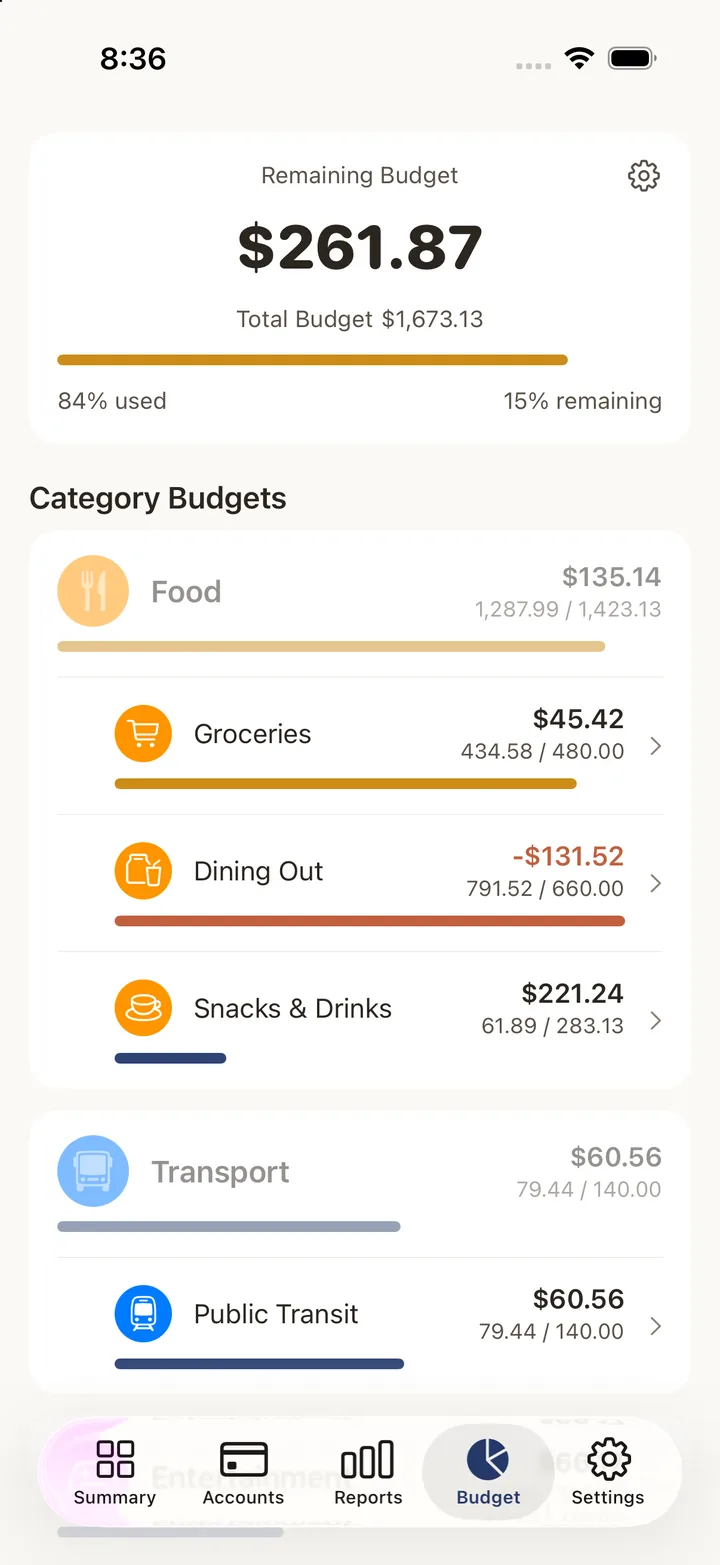
Set a total budget and a limit for each category. Kiroku shows how much you have left and warns you before you overspend.
- check Start your month on payday, or any day you like
- check Carry unused budget over to next period
- check See how much you can spend today
See where your money flows.
A Sankey chart traces your money from where it came in to every category it went to, so you can see where it all ended up.
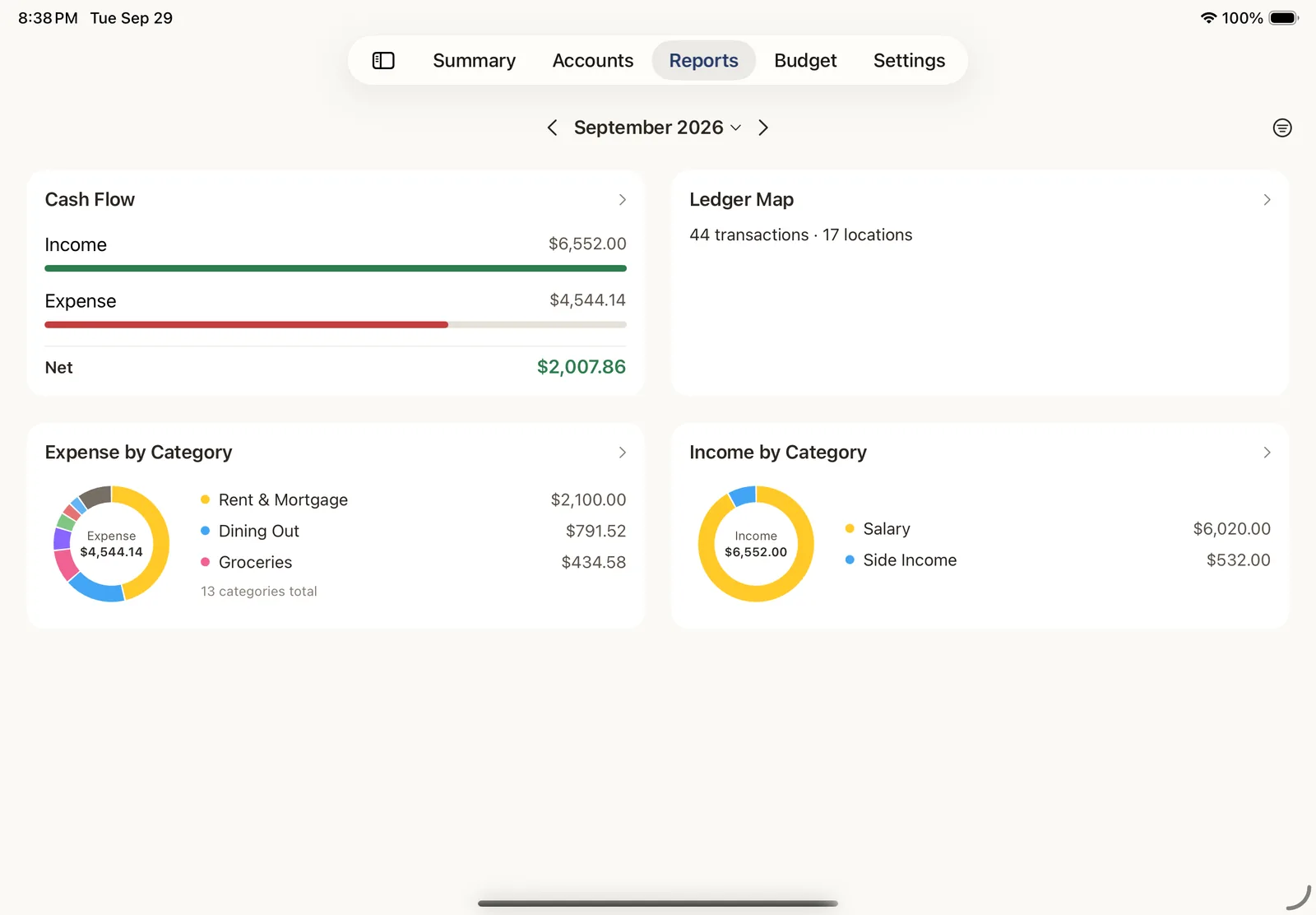
Report overview
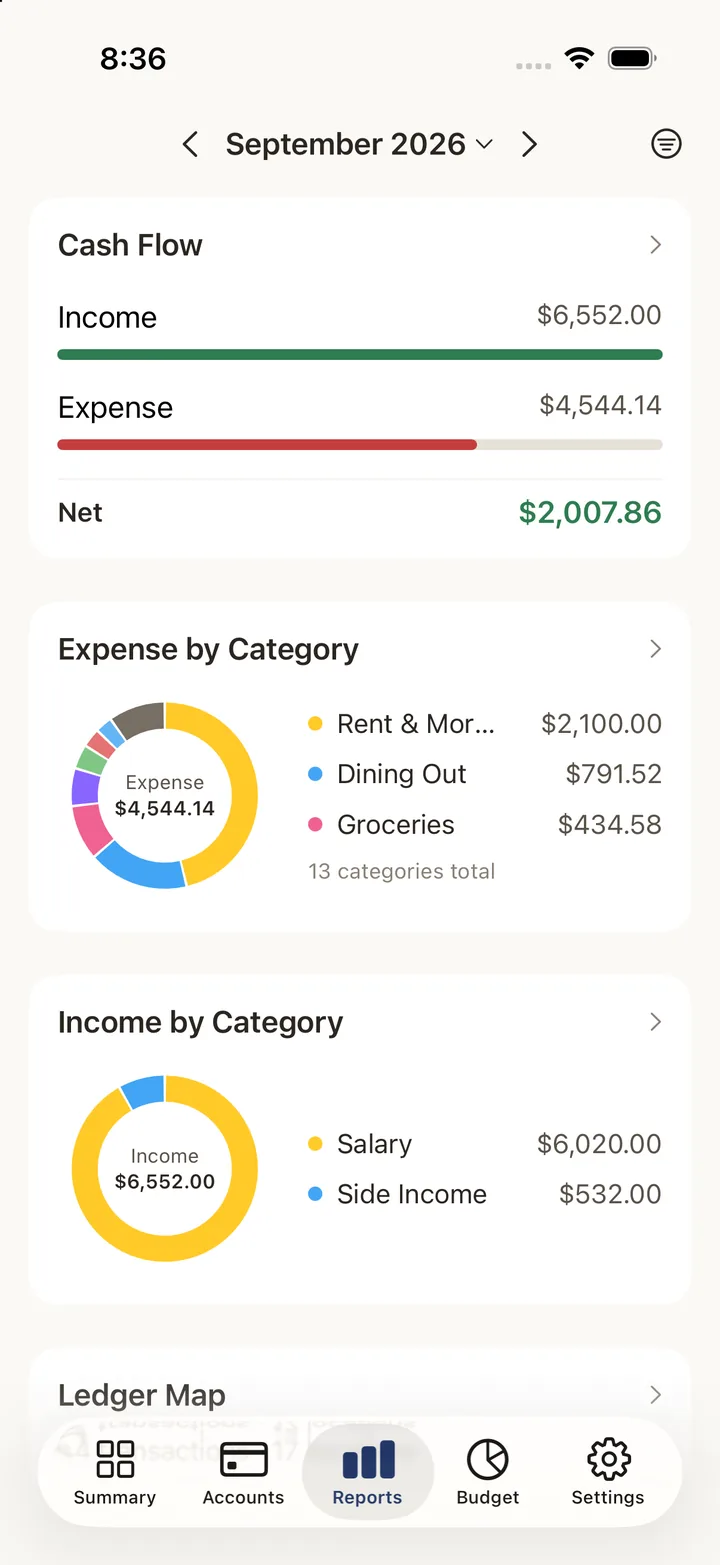
Cash flow, spending and income by category, and a ledger map, all on one screen. Free.
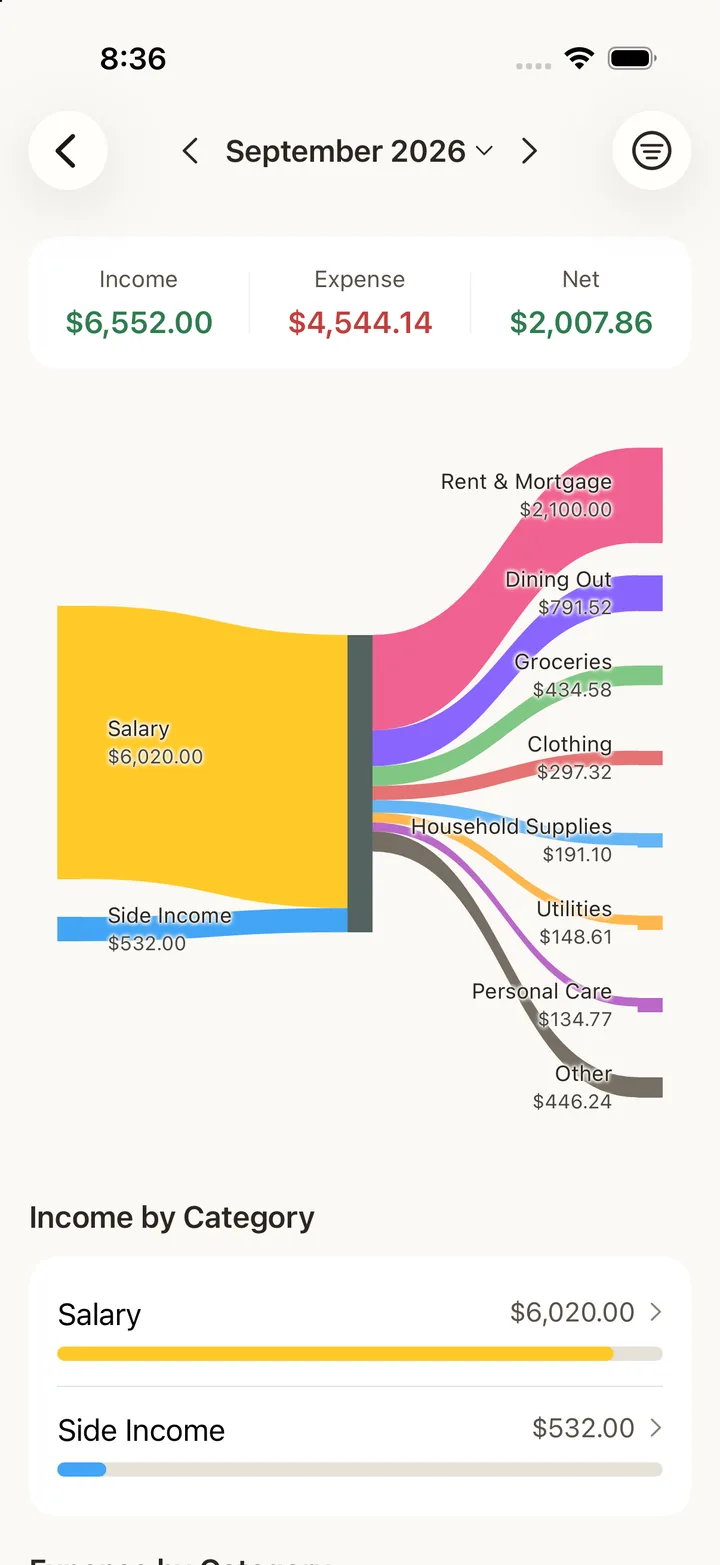
Cash flow Sankey
Follow salary and side income into rent, groceries, dining out and everything else.
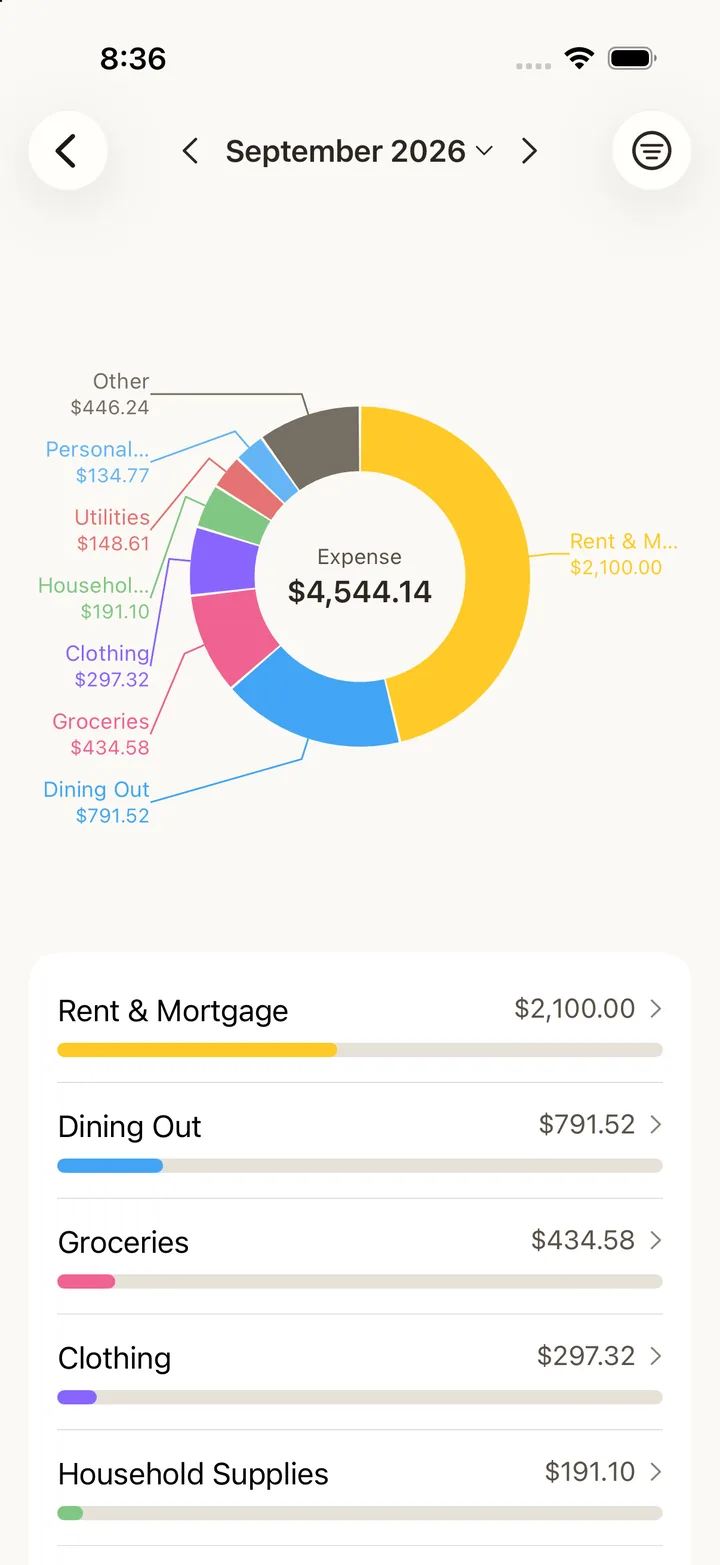
Category breakdown
Every category keeps its own color, so you learn to recognize them at a glance.
The report overview is free. Detailed reports (category breakdown, map and the full Sankey chart) come with the one-time unlock.
Small things, done carefully.
Details that make a household ledger easier to keep up.
Recurring & templates
Rent, salary and subscriptions log themselves daily, weekly or monthly. Save templates for the irregular ones.
Credit card check-off
Mark each entry as checked against your statement, and filter unchecked ones by card and billing period.
Location assist
Off by default. When turned on, Kiroku checks your location once when you add an entry and suggests the account and category you used there last time. It never tracks you in the background.
Search that keeps up
Search by note, category or amount range. It stays fast and accurate even after years of entries.
Multi-currency
Log foreign spending in its original currency. Use automatic exchange rates or enter your own, and the original amount is always kept.
Bring your history
Import from CSV, QIF or OFX, or straight from apps like Money Forward ME, Zaim and Money Manager. Preview before you import, and undo it with one tap. Importing is free.
Made for iPhone and iPad.
On iPad, your calendar and entries sit side by side. On iPhone, widgets and a Control Center button take you straight to a new entry.
Home Screen widgets
Tap to add an entry, and see what's left of this month's budget.
Lock Screen widgets
Budget left, today's spending, this month's total. Amounts are hidden while App Lock is on.
Control Center
An "Add entry" control opens a new entry in one tap.
Your ledger stays with you.
Kiroku never connects to your bank or card accounts. Your entries live on your device and, if you turn on sync, in your own iCloud. Nowhere else.
Kiroku makes only two kinds of network requests besides iCloud: fetching public exchange rates (which you can turn off) and anonymous usage statistics. Neither ever includes amounts, notes, names or locations. See the Privacy Policy for details.
Pay once. No subscription.
The free version has no time limit and no cap on entries. When you want more, unlock everything with a single one-time purchase. No ads, either.
Free
Everything you need to track spending in one ledger, free forever.
- check 1 ledger, unlimited entries
- check Recurring entries & templates
- check Budgets & credit card check-off
- check Location assist
- check Search, filters & report overview
- check Import from other apps
- check Recently Deleted (trash)
- check Line icons & emoji, 7 color themes
Unlock Everything
One-time purchase. Not a subscription, and it never auto-renews. See the price in the app.
- check iCloud sync across devices
- check Unlimited ledgers
- check Multi-currency entries
- check Detailed reports: category breakdown, map, full Sankey
- check App Lock (Face ID / Touch ID)
- check CSV export & backup
- check Color icons & your own custom icons
If you ever lose access to the unlock, your data stays put. Nothing is deleted or locked away.
Know where your money went, without handing it over.
Type it in. Pay once. Stays on your phone. Give Kiroku a try.